
By purchasing this product you agree to the End User License Agreement (EULA).
UNCLASH is a one-button kick and bass plugin that makes your kick and bass fit together – no more muddy, clashing low end.
Put it on your bass, send your kick to the sidechain and press the button while your track plays: UNCLASH analyses six kicks, dials itself in and locks. The sub of your bass steps aside exactly when the kick hits and comes right back after it – with zero latency.
Perfect for Tech House, Techno, House, EDM, Hip-Hop and more.
Due to legal and insurance restrictions, this product is not available for purchase by customers located in the United States of America or Canada.

Sound Examples
Same loop, perfectly in sync. Switch between dry and UNCLASH and hear the low end clear up.
ON
Tap DRY or WET – or UNCLASH – to switch instantly.

Key Features
One Button, Done:
Press the zerrro button while your track plays. UNCLASH listens to six kicks, dials itself in and locks – nothing moves during the song.
Kick and Bass Finally Fit:
The sub of your bass steps aside exactly when the kick hits and comes right back after it. The rest of your bass stays as it is.
See the Clash:
The display shows your kick in white and your bass in green, and marks in red where they still clash. CLASH or NO CLASH at a glance.
Three Curves:
TIGHT, NATURAL or PUMP – drawn from your own kick’s length and your track’s tempo, from a clean snap-back to a pumping groove.
Smart Low-End Tools:
CUT takes the kick’s note out of the bass while the kick plays, PHASE turns the bass only when it clearly helps, BASS MONO keeps the low end centred and WIDTH shapes the bass above it.
Zero Latency:
No delay, no lookahead. Bypass it for an instant before / after, or switch on DELTA to hear exactly what UNCLASH takes out.
How It Works
PLAY & PRESS
Put UNCLASH on your bass, send the kick to its sidechain and press the zerrro button while your track plays.
ANALYSING
UNCLASH listens to six kicks: their note, length and tempo, and how far your bass sticks out under them.
DIALING IN
The learned values fade in. SENSITIVITY, POCKET, SPLIT, CUT and PHASE turn to their places.
FINE-TUNING
Every kick that still clashes deepens the ducking a little, until two kicks in a row are clean.
UNCLASHED
Locked. Nothing moves during the song, and everything is saved with your session.

Everything on one screen
Put UNCLASH on your bass track and route your kick into its sidechain. Press the zerrro button while the track plays: UNCLASH analyses, dials itself in and locks. From then on nothing moves.
The display shows what happens: your kick in white, your bass in green, and red wherever they still clash. SENSITIVITY sets how deep the sub ducks, REMOVE HIGHS lets the rest of the bass step back too, LOW END FOCUS decides who owns the low end and CHARACTER picks the curve. POCKET, SPLIT, CUT, PHASE and WIDTH are always in view.
The window scales freely, and the power button gives you an instant before / after.
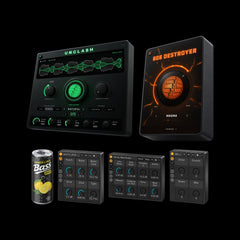
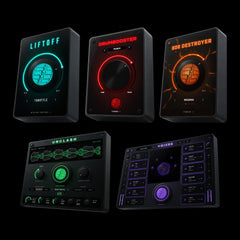
Save money with our Bundles!


System Requirements
macOS
Compatible with macOS 10.13 (High Sierra) or higher
Universal binary: runs natively on Apple Silicon (M1/M2/M3/M4) and Intel
Available plugin formats: AU and VST3
The installer is code-signed and notarized by Apple for a smooth and secure installation process
Compatible with most modern DAWs with sidechain routing (VST3 / AU). System requirements apply
Windows
Requires Windows 10 or Windows 11, 64-bit – x64 and Windows on ARM (ARM64)
Available plugin format: VST3
The installer is code-signed and installs to the standard system VST3 directory for automatic DAW detection
Compatible with most modern DAWs with sidechain routing (VST3 / AU). System requirements apply
Related Products


Frequently asked questions
What exactly does UNCLASH do?
UNCLASH makes your kick and bass fit together. It sits on your bass, hears the kick through the sidechain and ducks only the sub of the bass while the kick plays – exactly as deep and as long as needed. Press the zerrro button once while your track plays: it analyses, dials itself in and locks. With the plugin switched off, your bass stays completely untouched.
How do I set it up?
Load UNCLASH on your bass track and route your kick into its sidechain input (in most DAWs you pick the kick track in the plugin’s sidechain menu). Then play your track and press the zerrro button. That’s it.
Which DAWs are supported?
Any DAW that supports VST3 (Windows/macOS) or AU (macOS) plugins with a sidechain input will work.
This includes: Ableton Live, FL Studio, Logic Pro, Cubase, Studio One, Bitwig, Reaper, and more.
How do I install the plugin?
Your download includes a ZIP file containing the installers for macOS and Windows.
- macOS: Run the .pkg installer (AU + VST3).
- Windows: Run the .exe installer (VST3, x64 + ARM64).
The plugin will appear automatically in your DAW after installation.
Does the plugin introduce latency?
No. UNCLASH runs with zero latency, so you can use it anywhere in your session – even while playing live.
Is my payment secure?
Yes. Our store is powered by Shopify, one of the most secure e-commerce platforms out there.
All payments are SSL encrypted, and you can pay safely using your preferred method.
I didn’t get my download email, what should I do?
Please check your spam or promotions folder first.
If it’s not there, just drop us a message. We’ll resend your download link asap.
help@zerrromusic.com
What if the plugin doesn't show up in my DAW?
Try these steps:
- Restart your DAW
- Rescan your plugin folders and check if you use the right ones in your preferences of your DAW
- Make sure you installed the correct version for your OS
- On macOS: ensure AU/VST3 loading is enabled in your DAW
If you still have issues, contact support. We try to respond quickly: help@zerrromusic.com